Grow Well SG: How to give your kid a phone the right way
Your kid will get a phone. The question isn't whether — it's what's on it. A practical guide for SG parents trying not to lose them to TikTok at age nine.
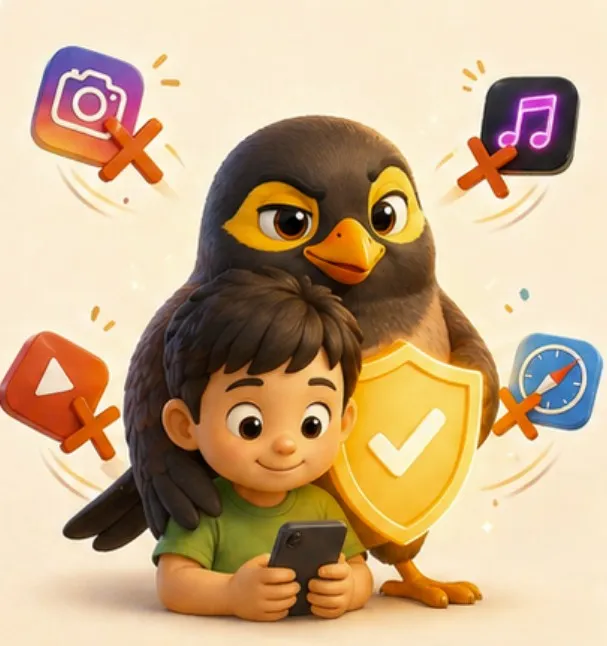
Here’s the moment most Singapore parents recognise:
Kid is in P3. School CCA picks up at a different time twice a week. Tuition centre changes the slot. The grandparent doing pickup needs to call. The helper needs to coordinate. You can’t be everywhere. So one Tuesday you cave, dig out an old iPhone, and hand it over.
By Friday they’re three TikToks deep into a 14-year-old reaction streamer’s morning routine. By the next Friday they’re asking what “rizz” means.
You didn’t want to be that parent. The household just needed it to work.
What Grow Well SG actually says
In 2025, MOH and MCI rolled out Grow Well SG — a national framework for kids’ digital wellbeing. The headline isn’t “no phones.” It’s:
- Under 7: no personal device, no social media. (Hard line.)
- 7–12: limited supervised use. No social media accounts at all.
- 12–14: tiered access, with parental controls and time limits.
- 14+: gradual loosening, with continued conversations.
It’s a sensible framework. The problem is it tells you what not to do without giving you a tool that does the yes part. Because the “no” parts are easy. It’s the “but they still need to call me from CCA” part that breaks every parent’s resolve.
The gap nobody fills
The market gives you two options:
- Dumbphone: actually works for safety, but the kid feels different from every classmate, and you can’t send them their tuition schedule, and the helper can’t send them a voice note when she’s running 10 minutes late.
- Smartphone: full app store, full browser, full internet. You bolt on screen-time controls and pretend they’ll hold for six months. They won’t.
Neither is what a Singapore family actually needs. The kid’s phone exists for one reason: coordinating the family. Pickups, calls home, the helper saying she’s at the gate, the grandparent confirming dinner time.
Everything else on a kid’s phone is the cost of that one feature.
What “the right way” looks like
A kid’s phone in 2026 should:
- Make and receive family calls. Voice and video, one tap, no logins.
- Send and receive family chat and voice notes. With auto-translation if Ah Ma writes in Mandarin or the helper sends in Bahasa.
- Show today’s schedule. Pickup time. Tuition. CCA. With Aunty narrating reminders ten minutes before.
- Locate them, when needed. Not surveillance — just “is the school bus on the way home yet.”
It should not:
- Have an app store.
- Have a browser.
- Have any path to social media — TikTok, Instagram, Discord, Snapchat, none of it.
- Have YouTube. (Sorry. The algorithm does not respect age.)
- Have any contact your parents haven’t approved.
That isn’t a hardware problem. It’s a software-lock problem. And every modern Android phone can do it — if someone bothers to package it correctly.
But what about Grab when the bus is late?
This is the question that breaks every dumbphone setup. Real life is messy. The bus doesn’t show. CCA ends early. Ah Ma sends an address that needs Maps to find. None of that is “the kid needs TikTok.” It’s the kid needing the actual world for ten minutes.
So we built a two-bucket model into Myna.
The first bucket is the essentials. Phone and Maps. They sit on the kid’s home screen permanently. She can call you any moment. She can find her way home from a tuition centre she’s never been to before. We don’t ask the kid to ask first when she’s lost or scared. Safety doesn’t wait for a parent to be at their phone.
The second bucket is everything else. When she wants Grab because the bus is late, or YouTube Kids because she’s done her homework and wants twenty minutes, she taps “Ask Mama.” You get a notification on your phone with what she’s asking for. You tap yes for the time you choose, or no. If yes, the app appears on her phone for that window, runs the clock, and disappears. There’s no app store, no daily allowance sitting there tempting her, no menu of pre-approved apps quietly available.
The default for anything outside the essentials is no. The exceptions are deliberate, on the day, and yours to give. The point isn’t to give her a smartphone with a babysitter on top. The point is to give her a dumbphone with the obvious essentials always within reach, plus a small door — the kind a parent opens for a specific reason, then closes again.
What we did
We built Myna around exactly this.
The kid app is a launcher. There is no home screen of icons, no app drawer, no settings menu they can dig into. There is a phone with their family on it and the things their family decided to share with them. Schoolwork reminders, tuition pickups, voice notes from Ah Ma in Mandarin (translated, if they need it), a “tap to call” face for every parent and grandparent.
We tested with parents whose kids had begged for a phone for two years. The kids didn’t push back the way we expected — turns out a kid feels less embarrassed showing up at school with a “phone that’s just for family” than with a brick that doesn’t even text. Especially if the lock screen looks the same as everyone else’s.
A practical roadmap for SG parents
If your kid is:
- Under 7 — no phone. Borrow yours when they need to call Ah Ma. No exceptions, no slippery slope.
- 7–9 — they don’t need a phone. They need a tablet on the kitchen counter (a “family hub”) so they can call Papa from school holiday. Myna runs as a hub on any spare iPad.
- 10–12 (P4–P6) — first phone is reasonable, but it must be locked-down. No app store, no browser, family contacts only. Kid phone mode in Myna does this.
- 13+ — gradual loosening, with screen time rules. You’ll get pushback. Hold the line longer than you think you should.
The Aunty test
Here’s the gut-check we keep coming back to.
If your Aunty (the real one — your mum’s friend, the block neighbour, the one who knows everyone’s kids) saw what was on your kid’s phone, would she cluck?
If yes, the phone is wrong.
If no — if she’d nod and say “aiya, this one set up properly already, can already” — the phone is right.
That’s the bar.
We built Myna so SG parents can pass that test without giving up the family logistics that made you cave in the first place.
Myna is the family operating system for Singapore households. One hub, one app, every family member.
Try Myna