

Grow Well SG: How to give your kid a phone the right way
Your kid will get a phone. The question isn't whether. It's what's on it. A practical guide for SG parents trying not to lose them to TikTok at age nine.
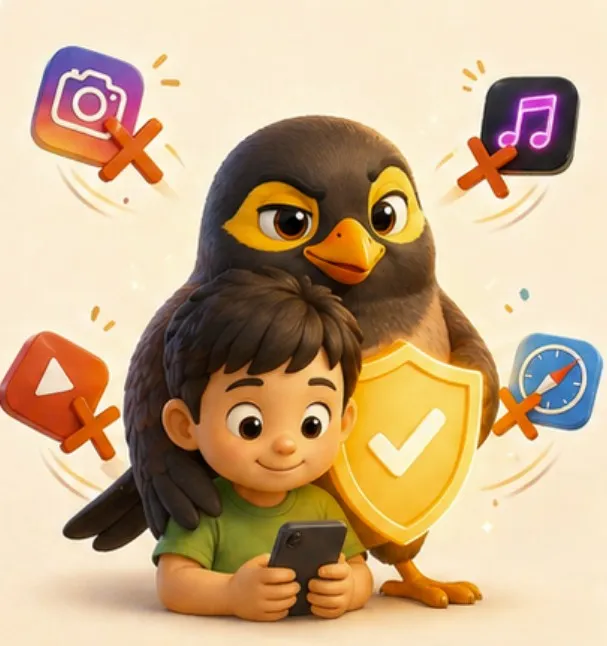
Here’s the moment most Singapore parents recognise:
Kid is in P3. School CCA picks up at a different time twice a week. Tuition centre changes the slot. The grandparent doing pickup needs to call. The helper needs to coordinate. You can’t be everywhere. So one Tuesday you cave, dig out an old iPhone, and hand it over.
By Friday they’re three TikToks deep into a 14-year-old reaction streamer’s morning routine. By the next Friday they’re asking what “rizz” means.
You didn’t want to be that parent. The household just needed it to work.
What Grow Well SG actually says
Grow Well SG launched in January 2025 as a national health promotion strategy for children and adolescents. Alongside it, MOH updated its Guidance on Screen Use in Children, dated 18 January 2025. That advisory is the part with actual numbers in it, and it covers ages 0 to 12. Anything you read that attributes teenage screen rules to Grow Well SG’s screen advisory is describing something else.
Here is what it says, in its own words:
- Under 18 months: no screen use, unless it is interactive video chatting. No background screen use either, so the TV does not stay on.
- 18 months to 6 years: less than 1 hour a day outside school. Passive watching is specifically not recommended.
- 7 to 12 years: less than 2 hours a day unless it is schoolwork. Agree a screen use plan or timetable.
- Both older bands: no screens during meals, and none in the hour before bedtime.
And for the 7-to-12s, two lines that matter more than the hours, quoted exactly:
“You should not give your child access to social media services.”
“Do not give your child mobile devices with unrestricted access to internet and applications.”
Read that second one again, because it is the whole argument of this post and it is the government’s sentence, not mine. The advice is not “no phone”. It is not “a phone with a timer on it”. It is a phone without unrestricted access to the internet and applications, which is a specific technical description of a device almost nobody sells.
That is the gap. The guidance tells you exactly what the phone should not be, and then leaves you to find one. The “no” parts are easy to agree with. It is the “but he still needs to call me from CCA” part that breaks every parent’s resolve.
The gap nobody fills
The market gives you two options:
- Dumbphone: actually works for safety, but the kid feels different from every classmate, and you can’t send them their tuition schedule, and the helper can’t send them a voice note when she’s running 10 minutes late.
- Smartphone: full app store, full browser, full internet. You bolt on screen-time controls and pretend they’ll hold for six months. They won’t.
Neither is what a Singapore family actually needs. The kid’s phone exists for one reason: coordinating the family. Pickups, calls home, the helper saying she’s at the gate, the grandparent confirming dinner time.
Everything else on a kid’s phone is the cost of that one feature.
What “the right way” looks like
A kid’s phone in 2026 should:
- Make and receive family calls. Voice and video, one tap, no logins.
- Send and receive family chat and voice notes. With auto-translation if Ah Ma writes in Mandarin or the helper sends in Bahasa.
- Show today’s schedule. Pickup time. Tuition. CCA. With Aunty narrating reminders ten minutes before.
- Locate them, when needed. Not surveillance, just “is the school bus on the way home yet.”
One more input before the list. If your child is in secondary school, MOE’s rules from January 2026 decide where the device spends the day regardless of what you buy, and one product gets named in the footnotes.
It should not:
- Have an app store.
- Have a browser.
- Have any path to social media. TikTok, Instagram, Discord, Snapchat, none of it.
- Have YouTube. (Sorry. The algorithm does not respect age.)
- Have any contact your parents haven’t approved.
That isn’t a hardware problem. It’s a software-lock problem. And every modern Android phone can do it, if someone bothers to package it correctly.
But what about Grab when the bus is late?
This is the question that breaks every dumbphone setup. Real life is messy. The bus doesn’t show. CCA ends early. Ah Ma sends an address that needs Maps to find. None of that is “the kid needs TikTok.” It’s the kid needing the actual world for ten minutes.
So we built a two-bucket model into myna.
The first bucket is the essentials. Phone and Maps. They sit on the kid’s home screen permanently. He can call you any moment. He can find his way home from a tuition centre he’s never been to before. We don’t ask the kid to ask first when he’s lost or scared. Safety doesn’t wait for a parent to be at their phone.
The second bucket is everything else. When he wants Grab because the bus is late, or YouTube Kids because he’s done his homework and wants twenty minutes, he taps “Ask Mama.” You get a notification on your phone with what he’s asking for. You tap yes for the time you choose, or no. If yes, the app appears on his phone for that window, runs the clock, and disappears. There’s no app store, no daily allowance sitting there tempting him, no menu of pre-approved apps quietly available.
The default for anything outside the essentials is no. The exceptions are deliberate, on the day, and yours to give. The point isn’t to give him a smartphone with a babysitter on top. The point is to give him a dumbphone with the obvious essentials always within reach, plus a small door, the kind a parent opens for a specific reason, then closes again.
What we did
We built myna around exactly this.
The kid app is a launcher. There is no home screen of icons, no app drawer, no settings menu they can dig into. There is a phone with their family on it and the things their family decided to share with them. Schoolwork reminders, tuition pickups, voice notes from Ah Ma in Mandarin (translated, if they need it), a “tap to call” face for every parent and grandparent.
We tested with parents whose kids had begged for a phone for two years. The kids didn’t push back the way we expected. Turns out a kid feels less embarrassed showing up at school with a “phone that’s just for family” than with a brick that doesn’t even text. Especially if the lock screen looks the same as everyone else’s.
A practical roadmap for SG parents
If your kid is:
- Under 7. No phone. Borrow yours when they need to call Ah Ma. No exceptions, no slippery slope.
- 7–9. They don’t need a phone. They need a tablet on the kitchen counter (a “family hub”) so they can call Papa from school holiday. myna runs as a hub on any spare iPad.
- 10–12 (P4–P6). First phone is reasonable, but it must be locked-down. No app store, no browser, family contacts only. Kid phone mode in myna does this.
- 13+. Gradual loosening, with screen time rules. You’ll get pushback. Hold the line longer than you think you should.
The Aunty test
Here’s the gut-check we keep coming back to.
If your Aunty (the real one: your mum’s friend, the block neighbour, the one who knows everyone’s kids) saw what was on your kid’s phone, would she cluck?
If yes, the phone is wrong.
If no, if she’d nod and say “aiya, this one set up properly already, can already”, then the phone is right.
That’s the bar.
We built myna so SG parents can pass that test without giving up the family logistics that made you cave in the first place.
A myna film · 3 min
Would the minister approve?
The bits everyone asks about
What is Grow Well SG?
A national health promotion strategy for children and adolescents, launched in January 2025. MOE's own footnote names the three ministries behind it: MOH, MOE and MSF. It is broader than screens, covering sleep, activity and diet too. The screen part is MOH's Guidance on Screen Use in Children, updated 18 January 2025, and that advisory covers ages 0 to 12 only.
What does Grow Well SG say about screen time?
Through MOH's advisory: no screens under 18 months except interactive video calls, under an hour a day outside school from 18 months to 6 years, under two hours for 7 to 12 unless it is schoolwork, no screens at meals, and none in the hour before bed. For the 7-to-12s it also says plainly: do not give your child mobile devices with unrestricted access to internet and applications. That sentence is the one worth reading twice.
Is Grow Well SG compulsory?
It is guidance for families, not a law with a penalty attached. What does have teeth is the school. From January 2026 MOE broadened its secondary school rules from lesson time to the whole school day, so smartphones and smartwatches are not allowed during recess, CCA or supplementary lessons either, and devices go in lockers or bags. Schools may allow use by exception. Advice and rules are two different things and it is worth knowing which one you are arguing with.
What if my child needs a phone before the recommended age?
That is the gap the framework leaves open, and it is the honest reason most families cross the line early. Someone has to be reachable when pickup moves. A device that does calls, family messages and the day's schedule is a different decision from a full smartphone, even though both arrive as the same rectangle.
myna keeps the whole household's day in one place, with an Aunty who does the reminding.
Get myna free